| Dir : /opt/alt/alt-nodejs9/root/lib/node_modules/npm/node_modules.bundled/cli-table2/ |
| Server: Linux premium279.web-hosting.com 4.18.0-553.45.1.lve.el8.x86_64 #1 SMP Wed Mar 26 12:08:09 UTC 2025 x86_64 IP: 66.29.132.192 |
| Dir : //opt/alt/alt-nodejs9/root/lib/node_modules/npm/node_modules.bundled/cli-table2/advanced-usage.md |
##### use colSpan to span columns - (colSpan above normal cell)
┌───────────────┐
│ greetings │
├───────────────┤
│ greetings │
├───────┬───────┤
│ hello │ howdy │
└───────┴───────┘
```javascript
var table = new Table({style:{head:[],border:[]}});
table.push(
[{colSpan:2,content:'greetings'}],
[{colSpan:2,content:'greetings'}],
['hello','howdy']
);
```
##### use colSpan to span columns - (colSpan below normal cell)
┌───────┬───────┐
│ hello │ howdy │
├───────┴───────┤
│ greetings │
├───────────────┤
│ greetings │
└───────────────┘
```javascript
var table = new Table({style:{head:[],border:[]}});
table.push(
['hello','howdy'],
[{colSpan:2,content:'greetings'}],
[{colSpan:2,content:'greetings'}]
);
```
##### use rowSpan to span rows - (rowSpan on the left side)
┌───────────┬───────────┬───────┐
│ greetings │ │ hello │
│ │ greetings ├───────┤
│ │ │ howdy │
└───────────┴───────────┴───────┘
```javascript
var table = new Table({style:{head:[],border:[]}});
table.push(
[{rowSpan:2,content:'greetings'},{rowSpan:2,content:'greetings',vAlign:'center'},'hello'],
['howdy']
);
```
##### use rowSpan to span rows - (rowSpan on the right side)
┌───────┬───────────┬───────────┐
│ hello │ greetings │ │
├───────┤ │ │
│ howdy │ │ greetings │
└───────┴───────────┴───────────┘
```javascript
var table = new Table({style:{head:[],border:[]}});
table.push(
['hello',{rowSpan:2,content:'greetings'},{rowSpan:2,content:'greetings',vAlign:'bottom'}],
['howdy']
);
```
##### mix rowSpan and colSpan together for complex table layouts
┌───────┬─────┬────┐
│ hello │ sup │ hi │
├───────┤ │ │
│ howdy │ │ │
├───┬───┼──┬──┤ │
│ o │ k │ │ │ │
└───┴───┴──┴──┴────┘
```javascript
var table = new Table({style:{head:[],border:[]}});
table.push(
[{content:'hello',colSpan:2},{rowSpan:2, colSpan:2,content:'sup'},{rowSpan:3,content:'hi'}],
[{content:'howdy',colSpan:2}],
['o','k','','']
);
```
##### multi-line content will flow across rows in rowSpan cells
┌───────┬───────────┬───────────┐
│ hello │ greetings │ greetings │
├───────┤ friends │ friends │
│ howdy │ │ │
└───────┴───────────┴───────────┘
```javascript
var table = new Table({style:{head:[],border:[]}});
table.push(
['hello',{rowSpan:2,content:'greetings\nfriends'},{rowSpan:2,content:'greetings\nfriends'}],
['howdy']
);
```
##### multi-line content will flow across rows in rowSpan cells - (complex layout)
┌───────┬─────┬────┐
│ hello │ sup │ hi │
├───────┤ man │ yo │
│ howdy │ hey │ │
├───┬───┼──┬──┤ │
│ o │ k │ │ │ │
└───┴───┴──┴──┴────┘
```javascript
var table = new Table({style:{head:[],border:[]}});
table.push(
[{content:'hello',colSpan:2},{rowSpan:2, colSpan:2,content:'sup\nman\nhey'},{rowSpan:3,content:'hi\nyo'}],
[{content:'howdy',colSpan:2}],
['o','k','','']
);
```
##### rowSpan cells can have a staggered layout
┌───┬───┐
│ a │ b │
│ ├───┤
│ │ c │
├───┤ │
│ d │ │
└───┴───┘
```javascript
var table = new Table({style:{head:[],border:[]}});
table.push(
[{content:'a',rowSpan:2},'b'],
[{content:'c',rowSpan:2}],
['d']
);
```
##### the layout manager automatically create empty cells to fill in the table
┌───┬───┬──┐
│ a │ b │ │
│ ├───┤ │
│ │ │ │
│ ├───┴──┤
│ │ c │
├───┤ │
│ │ │
└───┴──────┘
```javascript
var table = new Table({style:{head:[],border:[]}});
//notice we only create 3 cells here, but the table ends up having 6.
table.push(
[{content:'a',rowSpan:3,colSpan:2},'b'],
[],
[{content:'c',rowSpan:2,colSpan:2}],
[]
);
```
##### use table `rowHeights` option to fix row height. The truncation symbol will be shown on the last line.
┌───────┐
│ hello │
│ hi… │
└───────┘
```javascript
var table = new Table({rowHeights:[2],style:{head:[],border:[]}});
table.push(['hello\nhi\nsup']);
```
##### if `colWidths` is not specified, the layout manager will automatically widen rows to fit the content
┌─────────────┐
│ hello there │
├──────┬──────┤
│ hi │ hi │
└──────┴──────┘
```javascript
var table = new Table({style:{head:[],border:[]}});
table.push(
[{colSpan:2,content:'hello there'}],
['hi', 'hi']
);
```
##### you can specify a column width for only the first row, other rows will be automatically widened to fit content
┌─────────────┐
│ hello there │
├────┬────────┤
│ hi │ hi │
└────┴────────┘
```javascript
var table = new Table({colWidths:[4],style:{head:[],border:[]}});
table.push(
[{colSpan:2,content:'hello there'}],
['hi',{hAlign:'center',content:'hi'}]
);
```
##### a column with a null column width will be automatically widened to fit content
┌─────────────┐
│ hello there │
├────────┬────┤
│ hi │ hi │
└────────┴────┘
```javascript
var table = new Table({colWidths:[null, 4],style:{head:[],border:[]}});
table.push(
[{colSpan:2,content:'hello there'}],
[{hAlign:'right',content:'hi'}, 'hi']
);
```
##### feel free to use colors in your content strings, column widths will be calculated correctly
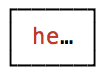
```javascript
var table = new Table({colWidths:[5],style:{head:[],border:[]}});
table.push([colors.red('hello')]);
```